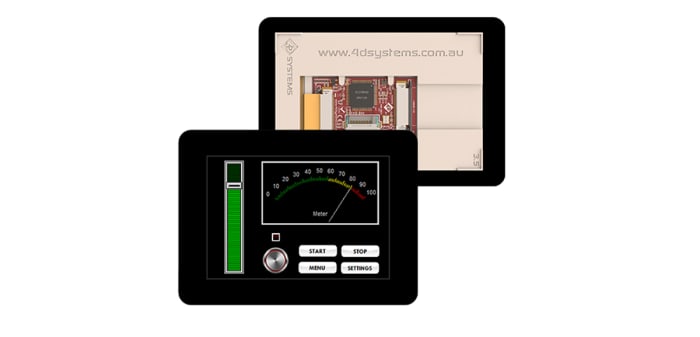
4D Systems uLCD-35DT-PI TFT LCD Renkli Ekran / Dokunmatik Ekran, 3,5inç, HVGA, 480 x 320piksel

Teknik Belgeler
Özellikler
Marka
4D SystemsÇapraz Ekran Boyutu
3.5inç
Ürün Tipi
Raspberry Pi Screen
Uyumlu Ekran Tipi
Resistive Touch Screen
Kit Adı
Diablo16
Standartlar/Onaylar
RoHS
Menşe
Philippines
Ürün Ayrıntıları
LCD Displays for Raspberry Pi (DIABLO16 processor), 4D Systems
4D System's range of resistive touch LCD Displays for the Raspberry Pi come in 3 different sizes: 3.5 in (8417829), 4.3 in (8646869) and 7 in (8417831).
You can connect the Pi to program the LCD display for graphics, images, text, sound and logging data.
Key Features of the LCD Displays
•DIABLO-16 4DGL graphics controller
•4D Systems Workshop 4 IDE software
•Variety of serial commands
•Power supply comes directly from the Pi
How do I connect my Pi to the display?
Firstly, connect the 4D serial Pi adaptor to your Pi board. Finally, connect the 5-way jumper cable between the adaptor and the LCD display. It's that easy.
Contents
•LCD display
•4D serial Pi adaptor
•150 mm 5-way female-to-female jumper cable
•Quick start user guide
4D Systems LCD Touchscreens
Stok bilgileri geçici olarak kullanılamıyor.
Teklif İsteyiniz
1
Teklif İsteyiniz
Stok bilgileri geçici olarak kullanılamıyor.
1
Teknik Belgeler
Özellikler
Marka
4D SystemsÇapraz Ekran Boyutu
3.5inç
Ürün Tipi
Raspberry Pi Screen
Uyumlu Ekran Tipi
Resistive Touch Screen
Kit Adı
Diablo16
Standartlar/Onaylar
RoHS
Menşe
Philippines
Ürün Ayrıntıları
LCD Displays for Raspberry Pi (DIABLO16 processor), 4D Systems
4D System's range of resistive touch LCD Displays for the Raspberry Pi come in 3 different sizes: 3.5 in (8417829), 4.3 in (8646869) and 7 in (8417831).
You can connect the Pi to program the LCD display for graphics, images, text, sound and logging data.
Key Features of the LCD Displays
•DIABLO-16 4DGL graphics controller
•4D Systems Workshop 4 IDE software
•Variety of serial commands
•Power supply comes directly from the Pi
How do I connect my Pi to the display?
Firstly, connect the 4D serial Pi adaptor to your Pi board. Finally, connect the 5-way jumper cable between the adaptor and the LCD display. It's that easy.
Contents
•LCD display
•4D serial Pi adaptor
•150 mm 5-way female-to-female jumper cable
•Quick start user guide
4D Systems LCD Touchscreens